
November 27, 2026 · Michael Lynn
StillPoint: Meditation for People Who Think They Can't
A meditation app that starts with one breath and adds a little each day. Guide voices, bells and rain all run on the Web Audio clock, the sky sets as your sit goes on, and Claude writes you a few lines about your week if you ask it to.
StillPoint: Meditation for People Who Think They Can't
Site: stillpoint.mlynn.dev · Platform: any browser, and it installs to an iPhone Home Screen like an app · Status: free, sign in with Google
Most people I know who've tried meditating have quit, and the reasons they give are always the same handful. I can't stop thinking. I can't sit still. Watching my breath makes me anxious. I'm just bad at it. None of those are true problems, they're signs the first session was too long and aimed at the wrong goal, so StillPoint starts with one breath and nothing else.
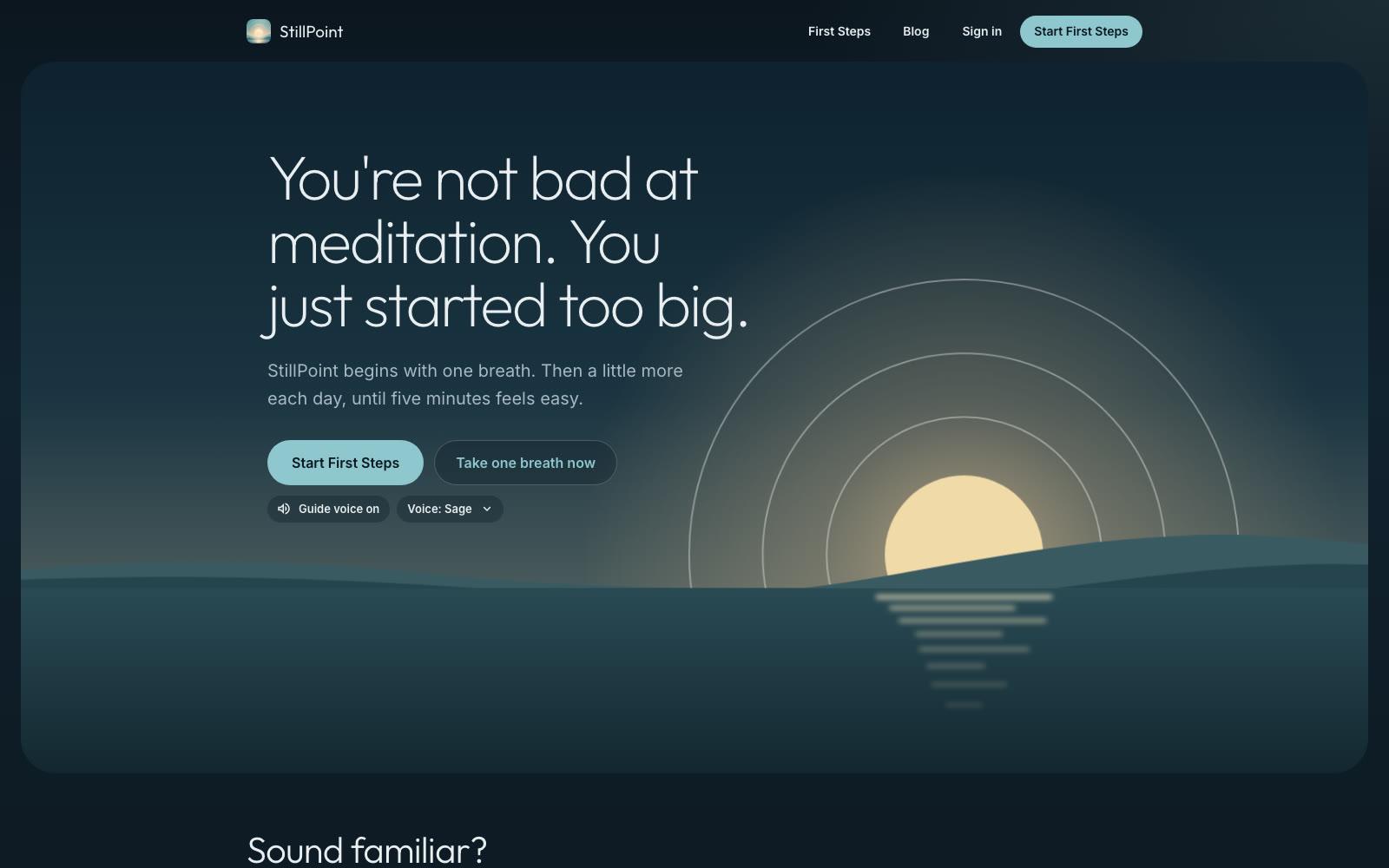
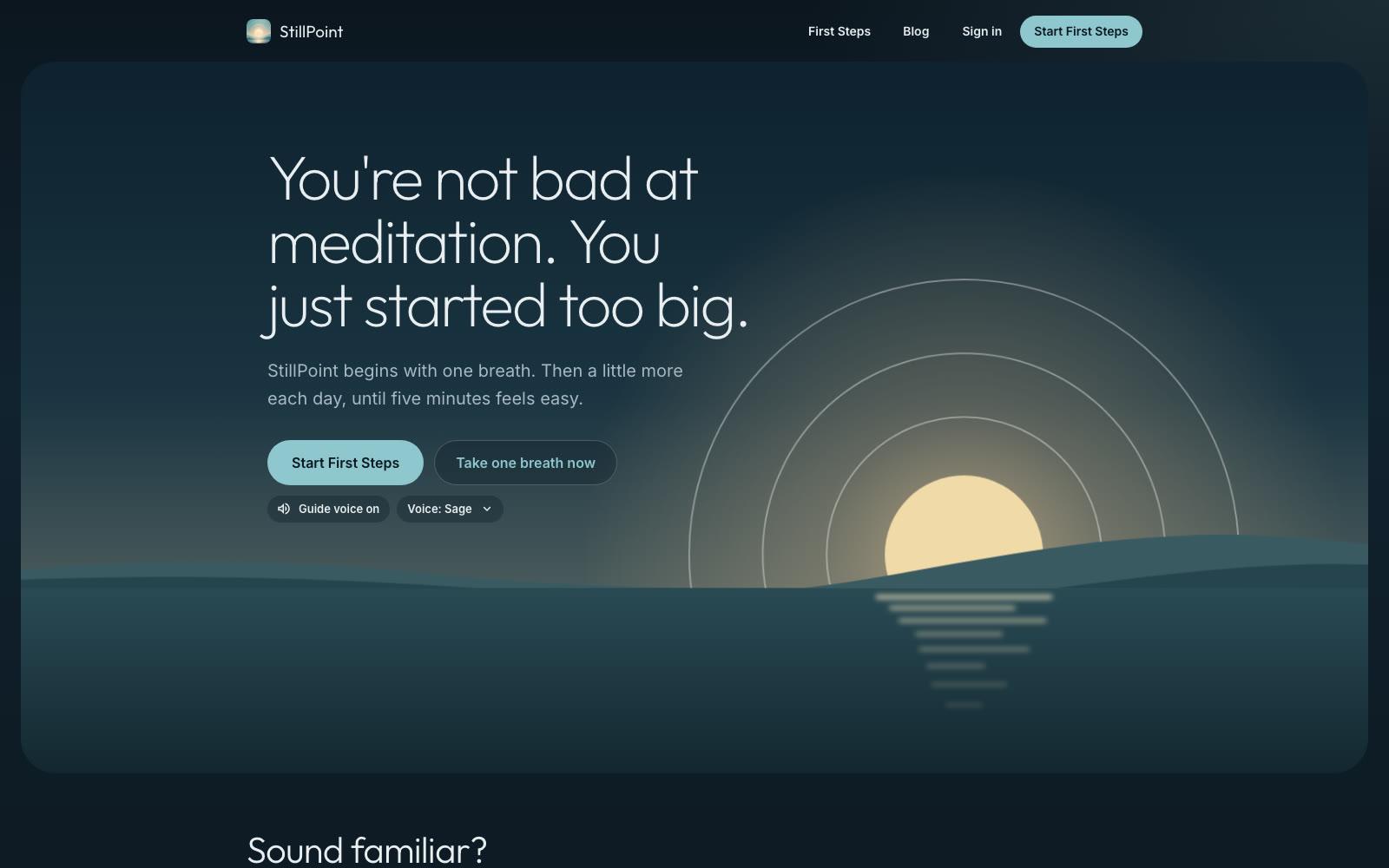
That sun on the front page isn't a picture. It's the logo's world drawn live in SVG, and at rest it breathes on a four-seconds-in, six-seconds-out rhythm. Press "Take one breath now" and it becomes the app's actual first session: the sun lifts as you breathe in, settles as you breathe out, a recorded guide talks you through it, and a ripple crosses the lake at the end. That's day one, finished before you've made an account.
First Steps
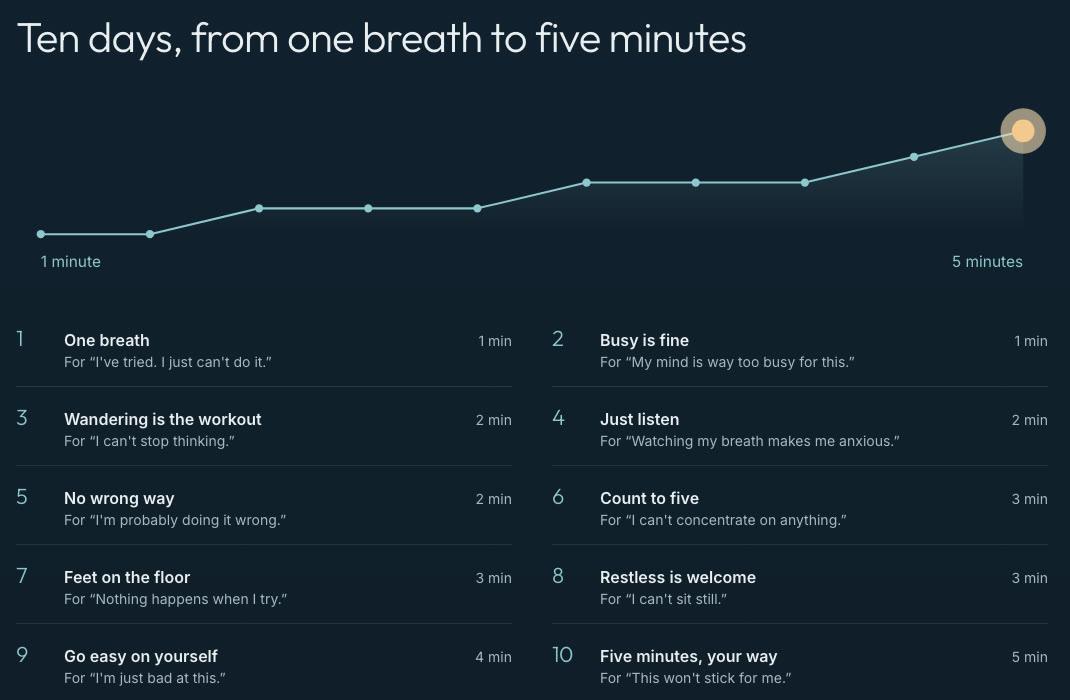
New people start on a ten-day path called First Steps that goes from one breath to five minutes. Each day takes one of the reasons people quit and answers it with a short spoken script and a practice built around it. "I can't sit still" gets a day where you stand, sway or walk slowly around the room. "Watching my breath makes me anxious" gets a day that uses sound as the anchor instead.
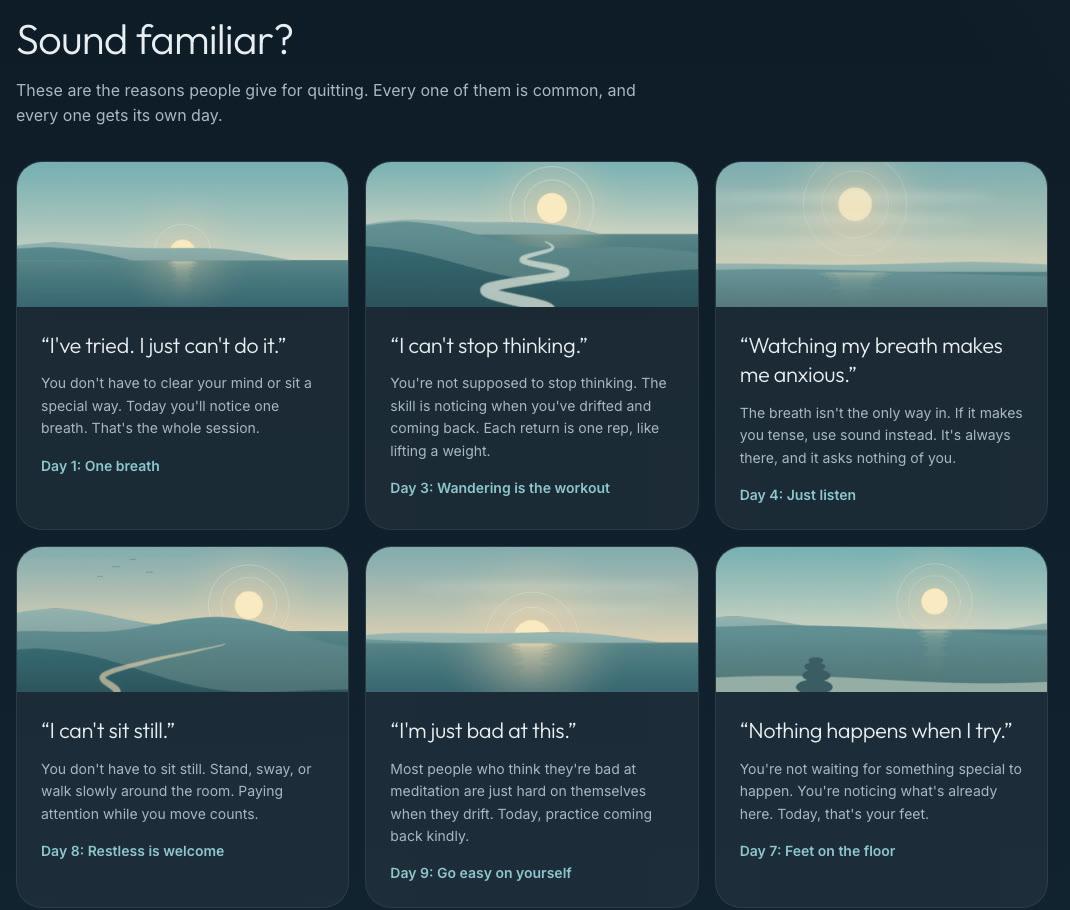
Every one of those little paintings comes from a Python script that draws them with Pillow in the logo's style: teal sky, soft sun with thin rings, layered hills, still water. I can change one and regenerate the lot, which mattered because I changed them a lot.
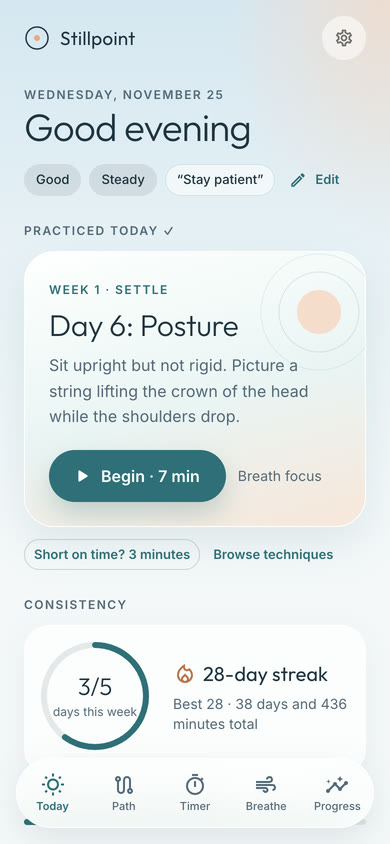
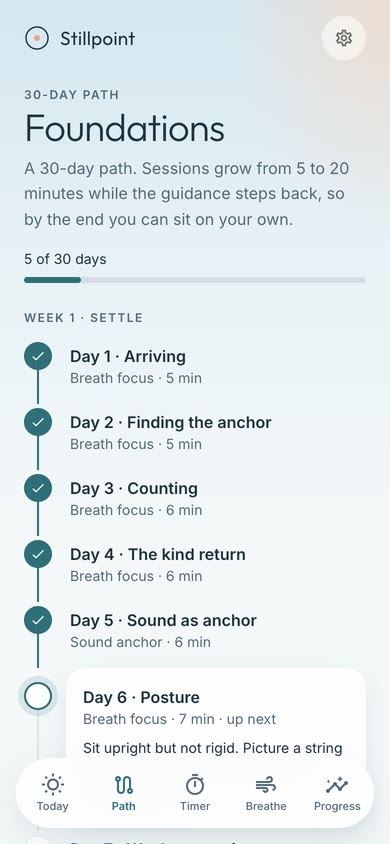
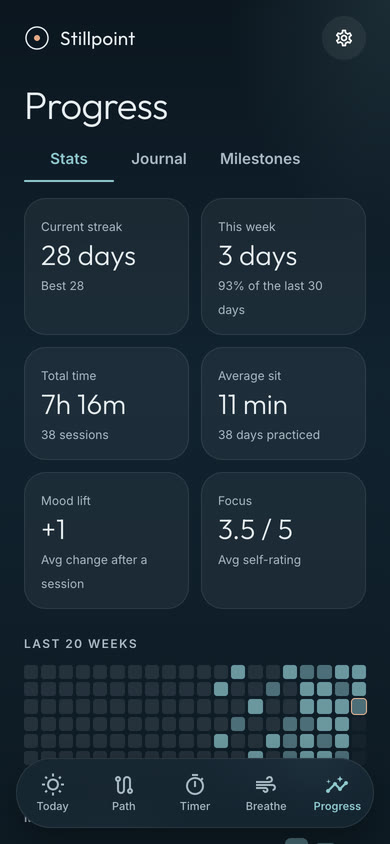
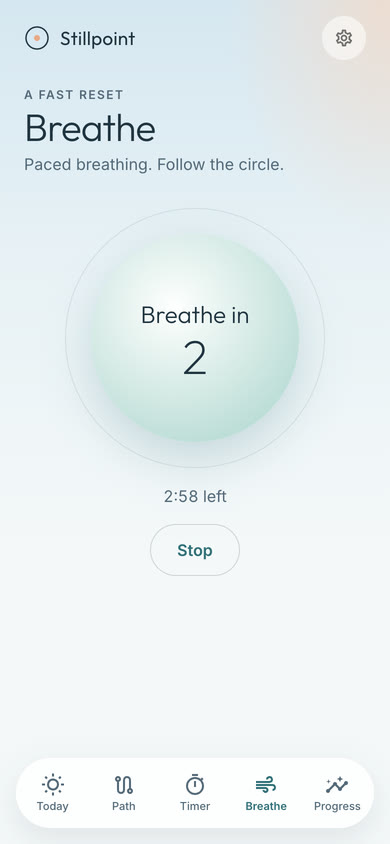
After that comes Foundations, a 30-day path where sits grow from 5 to 20 minutes while the guidance steps back, so by the end you can sit on your own. There's also a daily check-in that picks today's session, a timer with your own bells, paced breathing, streaks with grace days, a journal and a Progress page with a heatmap. I borrowed shamelessly here. Each of those is the mechanic that makes some leading app sticky, and the README has a table saying which one I took from where.
The sit itself
The session player keeps time with the Web Audio clock rather than JavaScript timers. Bells are scheduled ahead on that clock, so they ring on time even when the phone throttles the page, and pausing suspends the sound and the time together. Nothing in the app is an audio file except the guide's voice. The bells, the rain, the ocean and the brown noise are all synthesized in the browser.
Behind every sit a sun sinks toward a lake horizon and the sky warms toward dusk as you go. It's below the horizon by the end bell. I added it so you can feel roughly how much is left without looking at a number.
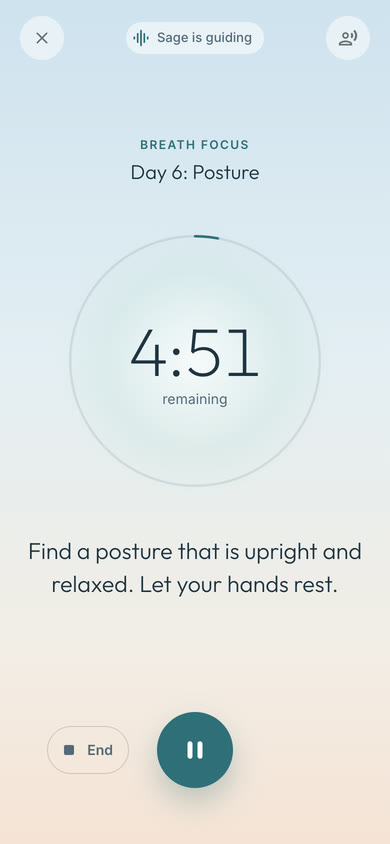
The idea I like best is the tap. When you notice your mind has wandered, you tap the screen. It plays a soft tone and saves the moment, and afterwards you see how many times you came back and when. Coming back is the whole skill, so I wanted it to be the thing you count instead of something you feel bad about. The guide listens to the taps too. Three taps inside 90 seconds bring a steadying line, and if you haven't tapped in a while it stays quiet and lets the reminders pass, though never for more than four minutes.
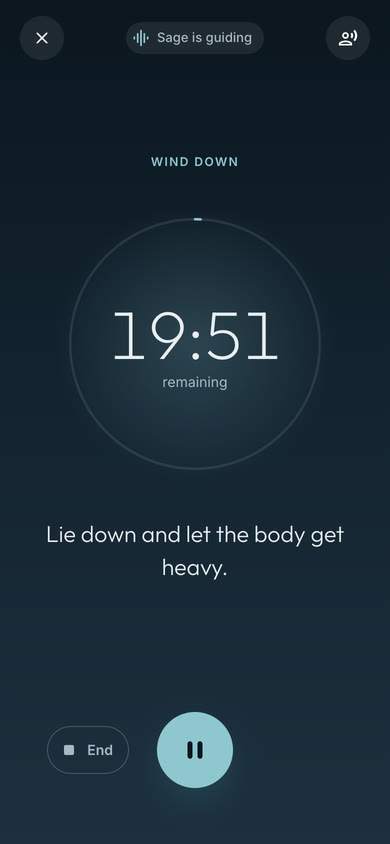
Sleep sits work differently. Wind down and Can't sleep dim the screen to nearly black over the first two minutes, the guide speaks at longer and longer gaps and a little softer each time, and goes silent after 60% of the sit. The rain fades out over the last three minutes and no bell rings at the end, because a bell is the last thing you want if it worked.
Voices
There are six guide voices to pick from, generated ahead of time with OpenAI's text-to-speech from the scripts in the app, one clip per line, named by a hash of the text so an edited line gets a new recording and an unchanged one doesn't. Any line without a clip falls back to the browser's own voice.
I also wanted a real person, so there's an admin page for recording one. It walks through every line the guide says: record, hear it back, keep it or go again. After each take it draws the waveform with a suggested trim that leaves out mouse clicks, which is easy to tell apart from speech because a click rings for under 100 milliseconds. On the server, ffmpeg cleans each kept take: hum notches, noise reduction that learns the room from the quiet before the first word, a gentle gate, de-essing and loudness matched to the other voices. On my noisiest test take it cut the hum by about 12 dB with the speech level unchanged. My own voice is in the list now, recorded that way.
A few things Claude does
There are two places where a model gets involved, both small and both off the main path. After a sit you can write a journal note and ask for a reply. Claude Haiku gets the note, the day's lesson and how long you sat, and answers in a sentence or two, held to 40 words. And once a week, if you turn it on, Claude Sonnet writes you a short letter about last week from your sits, taps, ratings and notes, compared with the week before. It leaves out missed goals on purpose so the letter never scolds, and weeks with fewer than two sits get a note saying there's no letter this time instead of nothing at all.
Journal notes are the one place in a meditation app where someone might write something that needs a real answer. A note that suggests danger skips the model completely and gets a fixed message pointing to emergency help and 988. Both features go through Vercel's AI Gateway, and the privacy policy says exactly what's sent.
Being in other people's day
Moments are short prompts tied to things you already do, like "After coffee, 8:00". A Vercel schedule runs every five minutes, sends each moment that's due in your own time zone, and tapping the notification opens a one-minute sit. Getting that tap to open the sit on an iPhone took most of a day. iOS doesn't pass the tap to the service worker, and it resumes a suspended Home Screen app on whatever build it was on, so my fixes weren't even reaching the phone. The version that works checks, when the app comes to the front, whether a prompt arrived in the last three minutes and has since left Notification Center, which is what tapping it does.
While you sit, the app checks in every 30 seconds and shows how many other people are sitting right now. Only the count, never who. "Sit with a friend" shares a link that starts the same sit on the minute, so everyone hears the same opening bell. And if you've been away three days or more, Today leads with a one-minute sit called "One minute counts" and the streak says "Starting fresh" instead of "0-day streak."
One thing didn't survive. I built a mode where you lay the phone on your belly and the circle followed your real breathing, then led it a little slower, 6% longer every 30 seconds. Reading breath from a phone's tilt turned out to be too unreliable to be calming, which is the one thing it had to be, so I took it out the same day.
How it's built
It's Next.js 16 with React 19 and Material UI, on Vercel, with MongoDB Atlas behind it. Accounts are Google sign-in through Better Auth, which keeps users and sessions in the same database, and every data route checks the session and scopes each query to that user. All the streak, stats and recommendation logic is pure functions in one file with tests next to it. The client sends its local date, so streaks follow your time zone instead of the server's. The recommendation adds two minutes when your focus ratings run high and shortens the next sit when you've been ending early.
It's been three days and about 60 commits. The first one was on Wednesday.
Trying it
Go to stillpoint.mlynn.dev and press "Take one breath now". That's the first session, no account needed. To keep going, sign in with Google and start First Steps. On an iPhone, open it in Safari, tap Share, then Add to Home Screen, and it runs full screen like any other app, with notifications if you set up moments.