
September 7, 2026 · Michael Lynn
Your Client Can Tell
I built a tool that marks every phrase in a draft that gives it away as machine-written, rewrites around them without moving a date or a caveat you wrote, and can learn your voice from a ten-minute spoken interview.
Your Client Can Tell
There's a sentence I keep finding in my own drafts.
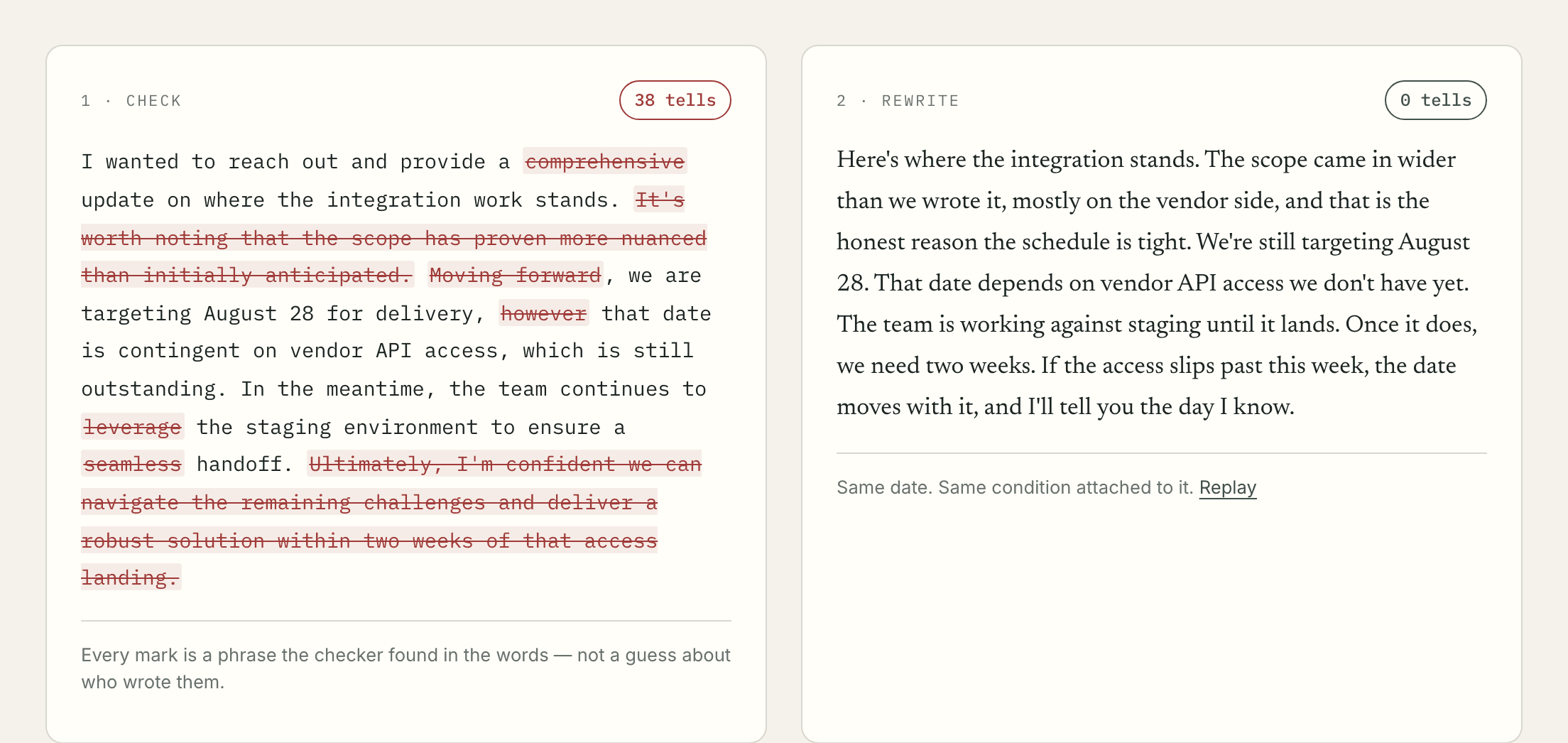
"I wanted to reach out and provide a comprehensive update on where the integration work stands."
Nothing in it is wrong. The grammar is fine, the update is real, and the person waiting on it gets what they asked for. It still tells them something I didn't mean to say. They read that opener and they file me under people who send AI email, and they do it without deciding to, the way you notice a bad wig before you notice the person wearing it.
That's the part that bothered me. The writing isn't bad. It's competent and clear and it gives itself away anyway, because a handful of habits show up in every draft a model hands you.
So I built rewr.it. It does two things. It shows you every phrase in your draft that gives it away, and then it writes around them without moving a date, a number, or a caveat you wrote.
Left is what the checker gives you. Right is what the rewriter gives you. Same date, same condition attached to it.
The marks are phrases, not a verdict
I want to be careful about what this is, because the category it sits in is full of tools that promise something they can't do.
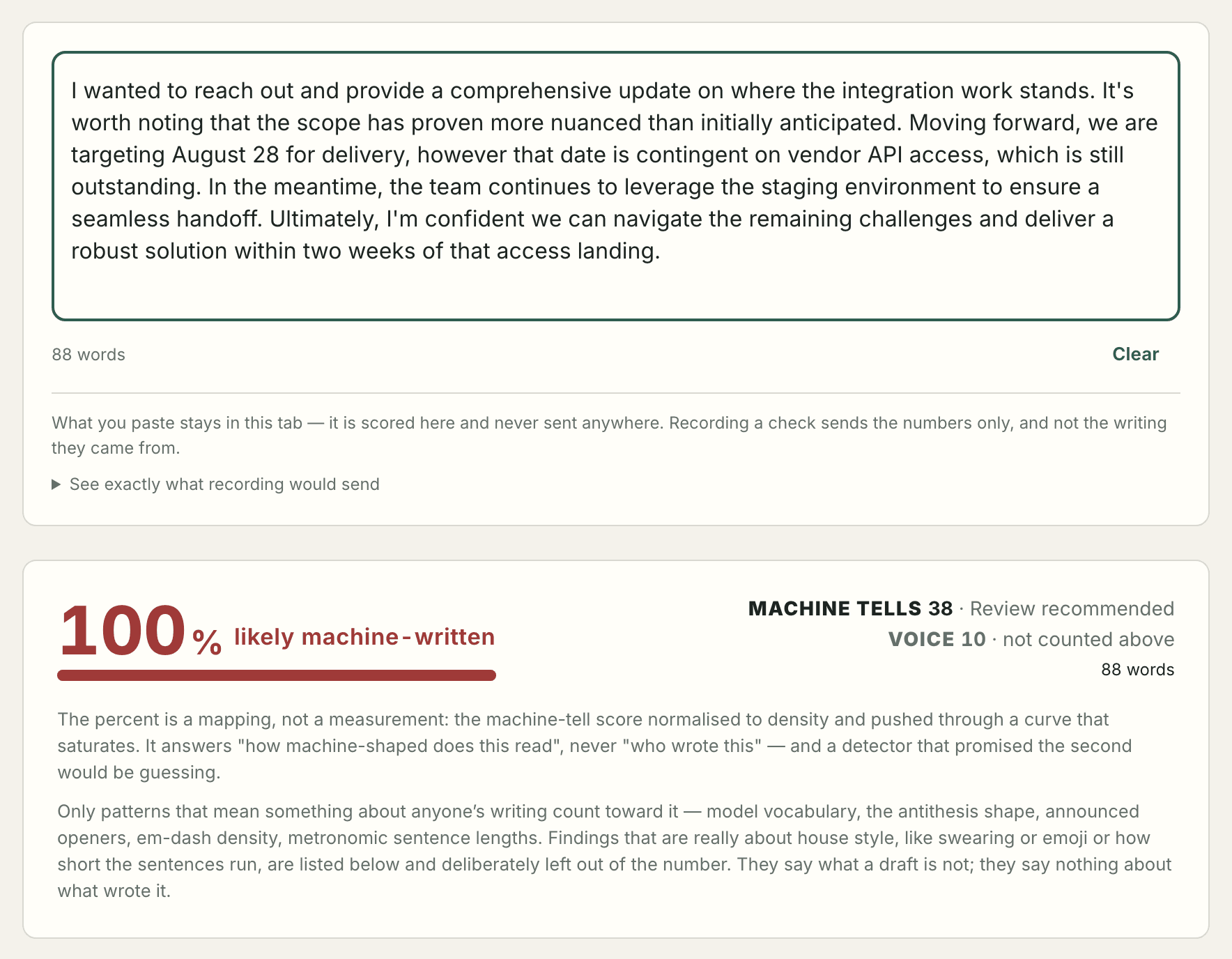
It is not a detector. It does not tell you who wrote something. There's a reading on the check page that says "100% likely machine-written" and even that is a mapping rather than a measurement. It's the tell score normalized to density and pushed through a curve that saturates. It answers how machine-shaped a piece of prose reads. It does not answer who typed it, and anything claiming the second one is guessing.
What it actually does is name phrases. Every mark you see is a string the checker found in the words in front of it.
| What it looks for | How many |
|---|---|
| Model vocabulary, in 7 categories | 97 terms |
| Sentence shapes, mostly antithesis | 8 |
| Stock openers | 12 |
Those numbers come out of the policy at render time. They are not typed into the page, and there's a reason for that. The first version of the landing page claimed "120+ terms" when the list held 97. Nobody would ever have checked it, and the page would have gone on repeating the wrong number for as long as the page existed. So now the marketing copy counts the software instead of describing it. If somebody adds a term tomorrow the page says 98 without anyone editing it.
The whole check runs in your browser. Nothing is uploaded, there's no account, and there's no limit on it. That wasn't generosity so much as the only version of the claim I could actually stand behind. If I'm going to tell somebody their draft never leaves the tab, the cheapest way to be telling the truth is to build it so it can't.
The rewrite is the hard half
Marking bad phrases is a word list. Anybody can build that in an afternoon, and I mostly did.
Rewriting is where it gets real, and it's where every tool I tried fell down. They paraphrase. Paraphrase drifts. A date moves by a day. A hedge disappears and a maybe turns into a did. You send it, your client reads a commitment you never made, and you find out six weeks later when they hold you to it.
So the rewrite is fenced in. Every claim in the output has to trace back to a specific sentence in your draft, and a sentence too tangled to move safely stays exactly as you wrote it and gets flagged instead. Then the rewrite is checked against the draft before you ever see it.
What happens to a draft
flowchart LR
  Draft([Your draft]) --> Check[Check<br/>in your browser]
  Check --> Marks[Every tell marked<br/>in place]
  Marks --> Rewrite[Rewrite]
  Rewrite --> Audit{Fact audit}
  Audit -->|nothing moved| Copy([Copy it])
  Audit -->|something moved| Flag[Flagged, and shown<br/>the row that changed]

  classDef local fill:#2f5d50,stroke:#24473d,color:white;
  classDef warn fill:#a33,stroke:#822,color:white;
  class Check,Marks local;
  class Flag warn;
The audit pulls numbers, dates, names, quotes and links out of both versions and compares them as multisets. Not as sets. That distinction cost me an afternoon and it's my favorite thing in the codebase.
Here's why it matters. In the demo email, August 28 gets counted twice, once as a date and once as the bare number 28. If the audit compared sets, a rewrite that helpfully repeated the date for emphasis would look identical to one that didn't. As multisets, repeating it reports an added fact and the panel stops reading zero. It also means a rewrite that quietly drops the month and leaves the 28 trips the check, which is the failure I actually care about, because that's the one nobody proofreads for.
Facts in, facts out
flowchart TB
  subgraph Before[In your draft]
    A1["August 28 (date)"]
    A2["28 (number)"]
    A3["vendor API access"]
  end
  subgraph After[In the rewrite]
    B1["August 28 (date)"]
    B2["28 (number)"]
    B3["vendor API access"]
  end
  Before --> Compare{Compare as multisets}
  After --> Compare
  Compare -->|counts match| Zero[0 warnings]
  Compare -->|count moved| One[Warning, with the row]

  classDef good fill:#2f5d50,stroke:#24473d,color:white;
  classDef bad fill:#a33,stroke:#822,color:white;
  class Zero good;
  class One bad;
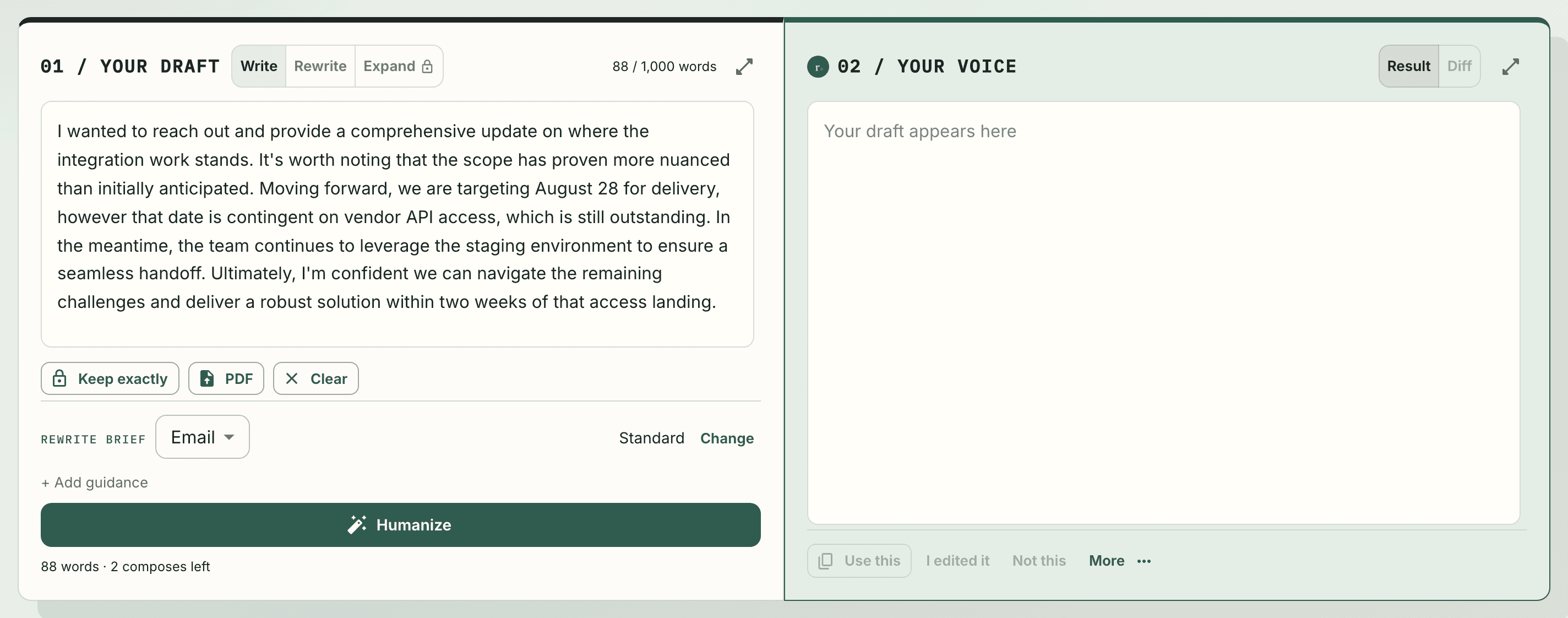
Where the writing is going changes the shape it comes back in. There are nine registers to pick from, because a Slack message is not a skip-level. And you can point it at yourself instead of at a register, which is the part of this I think is actually worth ten minutes of your time. More on that below.
You can teach it your voice, and it is worth the ten minutes
Everything above works on a draft you paste, with no account and no setup. That
version shapes your writing toward one considered voice, which is better than
the model's default and is still not you.
The other half of the product fixes that. There's an interview at
rewr.it/voice/interview and you can talk your
way through it. Eight questions, about ninety seconds each. Answer six and you
have enough. Answer all eight and you have plenty. You can type instead if you'd
rather, and you can walk the whole thing without an account, because signing in
is only what lets you save at the end.
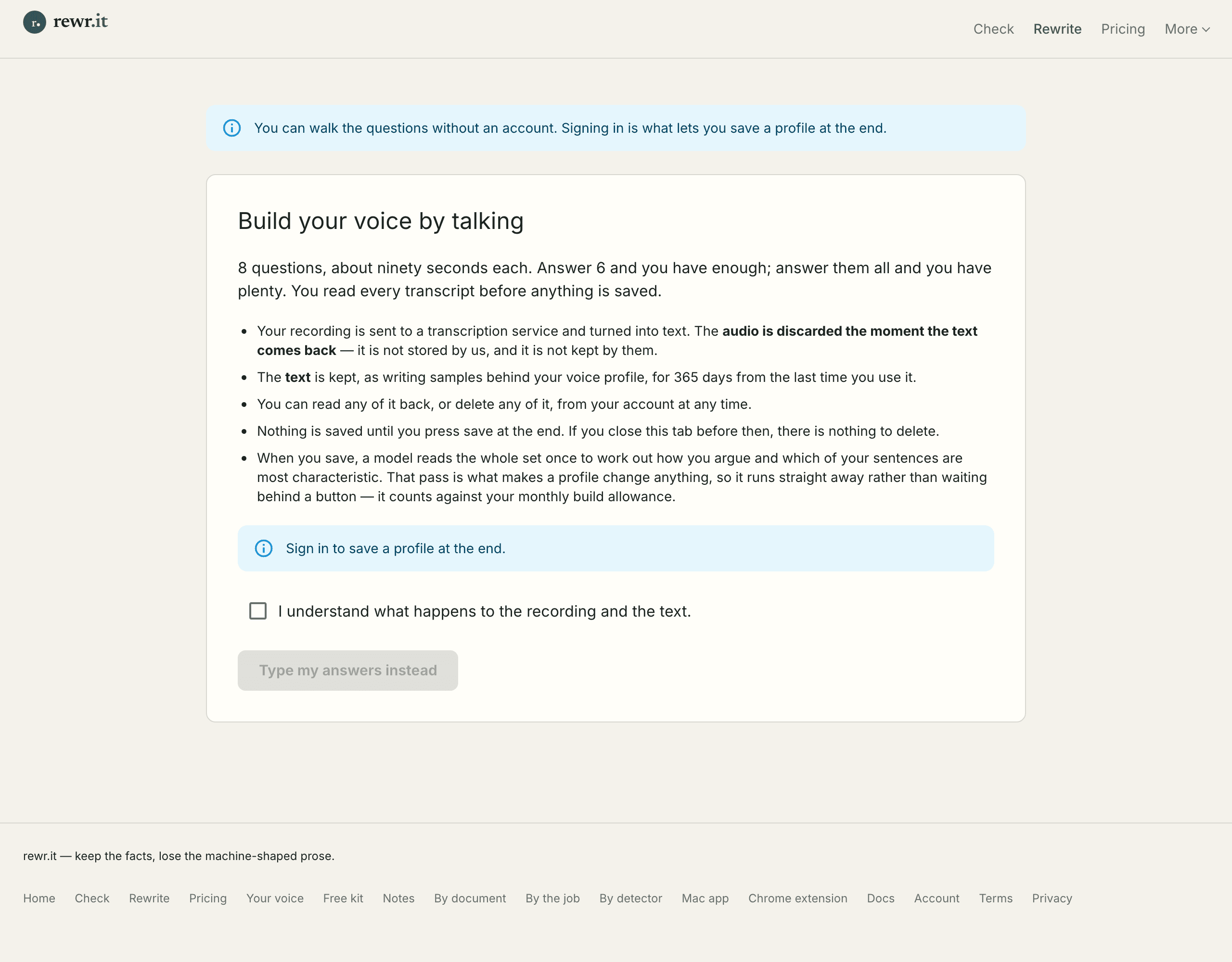
The recording goes to a transcription service and comes back as text, and the
audio is thrown away the moment it does. Nobody stores it, us included. The text
is what's kept, as writing samples behind your profile, for 365 days from the
last time you actually use it. You read every transcript before any of it is
saved, and you can edit them, which is not there for polish. A transcription
error that survives into your profile is a measurement of the transcriber rather
than of you.
Then a model reads the whole set once and works out how you argue and which of
your sentences are most characteristic. After that, every rewrite you run
against that profile is shaped by it.
What it actually measures
More than I said when I first wrote this post, and worth being precise about
because "learns your voice" is a claim that usually means nothing.
It measures how long your sentences run and how much that varies, how often you
drop a fragment, which of nine ways you tend to open a sentence, how much you
subordinate versus just adding another clause with "and", how often you
contract, how much Latinate vocabulary you reach for, your hedges and your
boosters, and your punctuation down to how often you use a semicolon. Then it
picks a few of your own sentences to show the model as demonstrations.
What it does not do is build a dictionary of your words. The word-frequency
half runs against a fixed list of 150 function words, the structural ones, so
the profile knows you say "so" where somebody else says "therefore" and knows
nothing about the nouns you like. Out of the box it sounds like you in shape and
like one considered voice in word choice.
One detail I like more than I should. A spoken sample carries no punctuation at
all, because a transcriber decides where the commas go. So the profile averages
each feature only over the samples that actually reported it. Counting a
transcript's silence as zero em dashes would teach it you never use one, which
is a fact about a decoder setting and not about you.
Effort buys fidelity, and here is the exchange rate
This is the part I'd underline. The measurements get better the more you give
them, and the numbers are not vague.
What more evidence buys you
flowchart LR
  A["Under 300 words<br/>not enough to measure"] --> B["300 words<br/>a profile exists"]
  B --> C["1,500 words<br/>the figures stop moving"]
  C --> D["12,000 words<br/>full evidence target"]

  classDef thin fill:#a33,stroke:#822,color:white;
  classDef ok fill:#8a7b3d,stroke:#6d6130,color:white;
  classDef good fill:#2f5d50,stroke:#24473d,color:white;
  class A thin;
  class B,C ok;
  class D good;
Under 300 words it won't measure you at all, which is a refusal rather than a
guess. At 300 you have a profile. Around 1,500 the figures settle, and the
interview tells you so on the way out if you stopped short. The full evidence
target is 12,000 words, which sounds like a lot until you notice you can top the
same profile up later from anything you've already written.
And that's the thing I'd want somebody to take away. The model is still the one
organizing the sentences. What the profile changes is how much of the organizing
is done to your measurements instead of to a default. The thoughts were always
yours. Ten minutes of talking is what keeps them recognizable as yours after
something else has arranged them.
Watch it run
This is the check page taking that same status email and reading it. No cuts and no captions. Everything on screen is computed by the same functions the app calls, so the recording can't show you a result the software wouldn't produce.
That clip is in the repo because re-cutting it costs one command now. It didn't used to. The first recording sat on the landing page until the headline changed underneath it, and then it sat in a folder for weeks with the old headline burned into its first frame, because re-recording meant somebody sitting down with a screen recorder for an afternoon. Nobody pays that twice. So I wrote a capture script that drives the real app in a real browser and takes real pictures of it, and the page has had a current video on it ever since.
Where it lives
The web app is the main thing, but the drafts I most want to fix are the ones I'm already writing somewhere else, so it also ships as a Chrome extension that works inside Gmail and LinkedIn, an MCP server so Claude can check its own output before handing it to me, and a desktop build.
The MCP server is the one I use most, and it's free and needs no account for the checking tools. My coding agent drafts something, checks itself, and fixes the tells before I ever read the draft. That loop is genuinely useful in a way I didn't predict when I built it.
Tech Stack
Next.js
React
MongoDB Atlas
Claude API
Stripe
Auth.js
Chrome Extension (MV3)
MCP
Tauri
What it won't do
It won't beat a detector, and I'm not going to claim it does. That's an arms race with a moving target on the other end, and a product that promises it is lying to you on a schedule.
It also won't write your vocabulary, which is the limit I most often have to explain. A profile measures the structure of how you write and shows the model a few of your own sentences, and the word-frequency part of it runs against a fixed list of function words. So it knows your scaffolding and not your nouns. Out of the box it sounds like you in shape and like one considered voice in word choice. I say that on the page where profiles come up too, because it's the thing people assume and I'd rather disappoint them before they've paid than after.
And it's not going to make bad writing good. All it does is take the accent off. The judgment still has to be yours, which is the part you were being paid for anyway.
Checking is free, unlimited, and never leaves your browser. It's at rewr.it if you want to paste something in and see what comes back.