
November 4, 2026 · Michael Lynn
ArtFrame: Hanging Museum Art on a Google TV
My TV spends most of the day off, so I turned its screensaver into a gallery: museum paintings in 4K, a glass information screen between them, and every card on it opens with the remote. A Mac app sets it all up.
ArtFrame: Hanging Museum Art on a Google TV
Site: artframe.mlynn.dev · Download: ArtFrameRemote for Mac · Platform: any Google TV or Android TV, set up from macOS 14 or later · Status: free, no account
My TV is a 55-inch Sony BRAVIA, an A80K, and like most TVs it's off far more than it's on. When it sits idle it falls back to Google's Ambient mode. An OLED that size seemed like a good piece of glass to be showing something better.
This started as a cleanup. I wanted some of the preinstalled apps off the TV, so I turned on developer mode, connected to it from my Mac over the network with
adb, and wrote a small script that disables a list of packages and can put them all back. Once I was in there, writing my own screensaver didn't seem like much of a jump. Android TV calls a screensaver a "dream," and a dream is just a view that the system shows when the TV goes idle.Here's 23 seconds of what it turned into.
The art
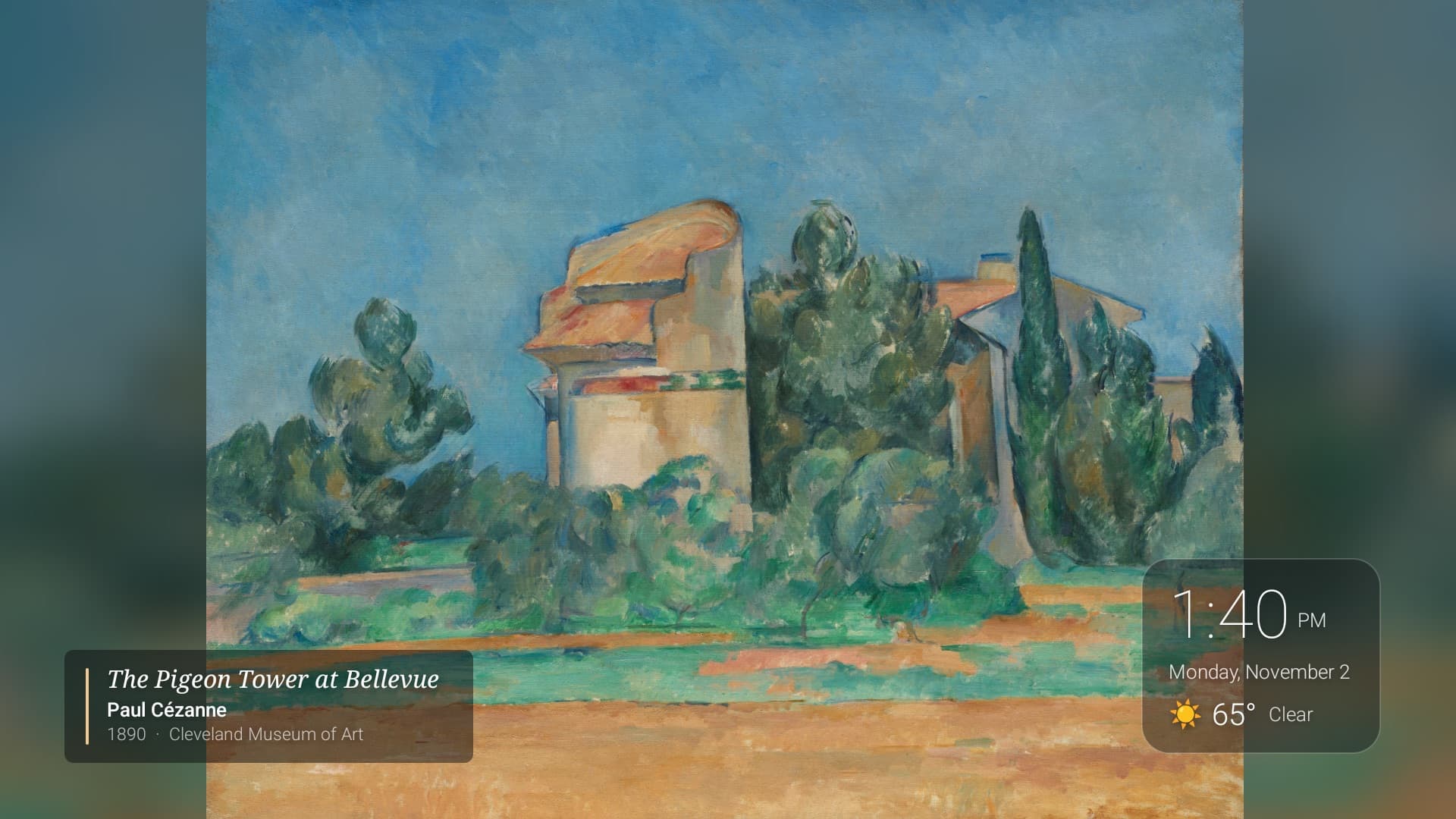
The paintings come from the open-access collections at the Art Institute of Chicago and the Cleveland Museum of Art, plus photography from Wikimedia Commons, NASA and Unsplash, or your own pictures. Thirteen themes come built in, and "This season" picks one for the time of year. You can also search by painter or by subject, like "lighthouse" or "Kyoto."
The fussy part was getting them to look right on a 3840×2160 screen. Every image is checked against the screen's resolution before it downloads, and a download that arrives smaller than the museum said it would gets thrown out. Photos are cropped to 16:9 only when that loses less than a quarter of a side. Paintings are never cropped at all. They sit on a blurred wash of their own colors, which looks a lot better than black bars and takes only a few lines of code: scale the painting down to 48 pixels wide, stretch it back over the screen, and blur it.
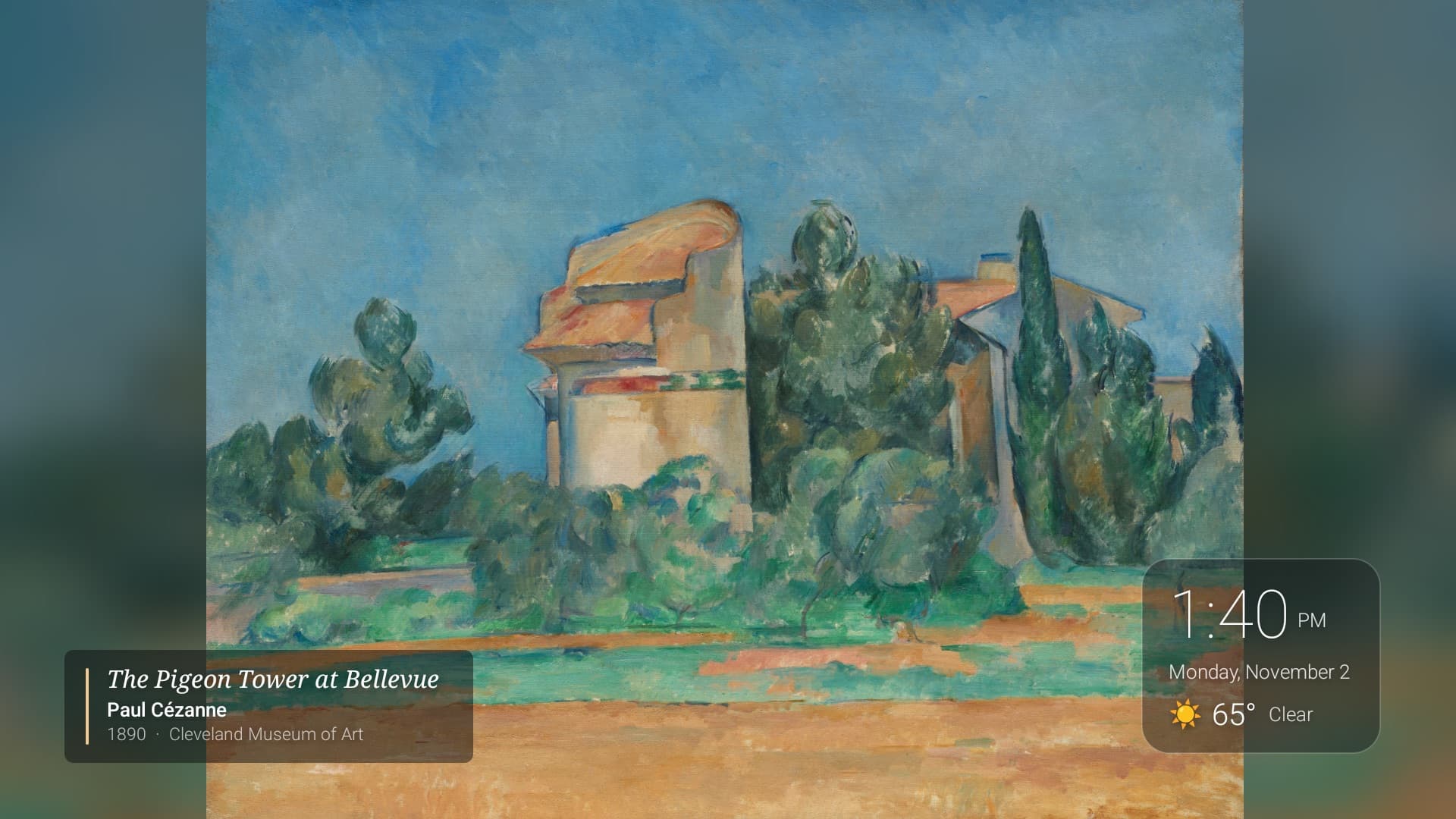
Each painting gets a wall label when it appears, with the title, artist, year and collection, the way a museum does it. It fades after a few seconds. There's an optional clock and weather card for a corner.
Because it's an OLED, nothing is allowed to stay still. Every slide zooms and drifts a few percent while it's up, the label and the corner card move a little with every painting, and the whole screen dims at night between hours you pick.
The information screen
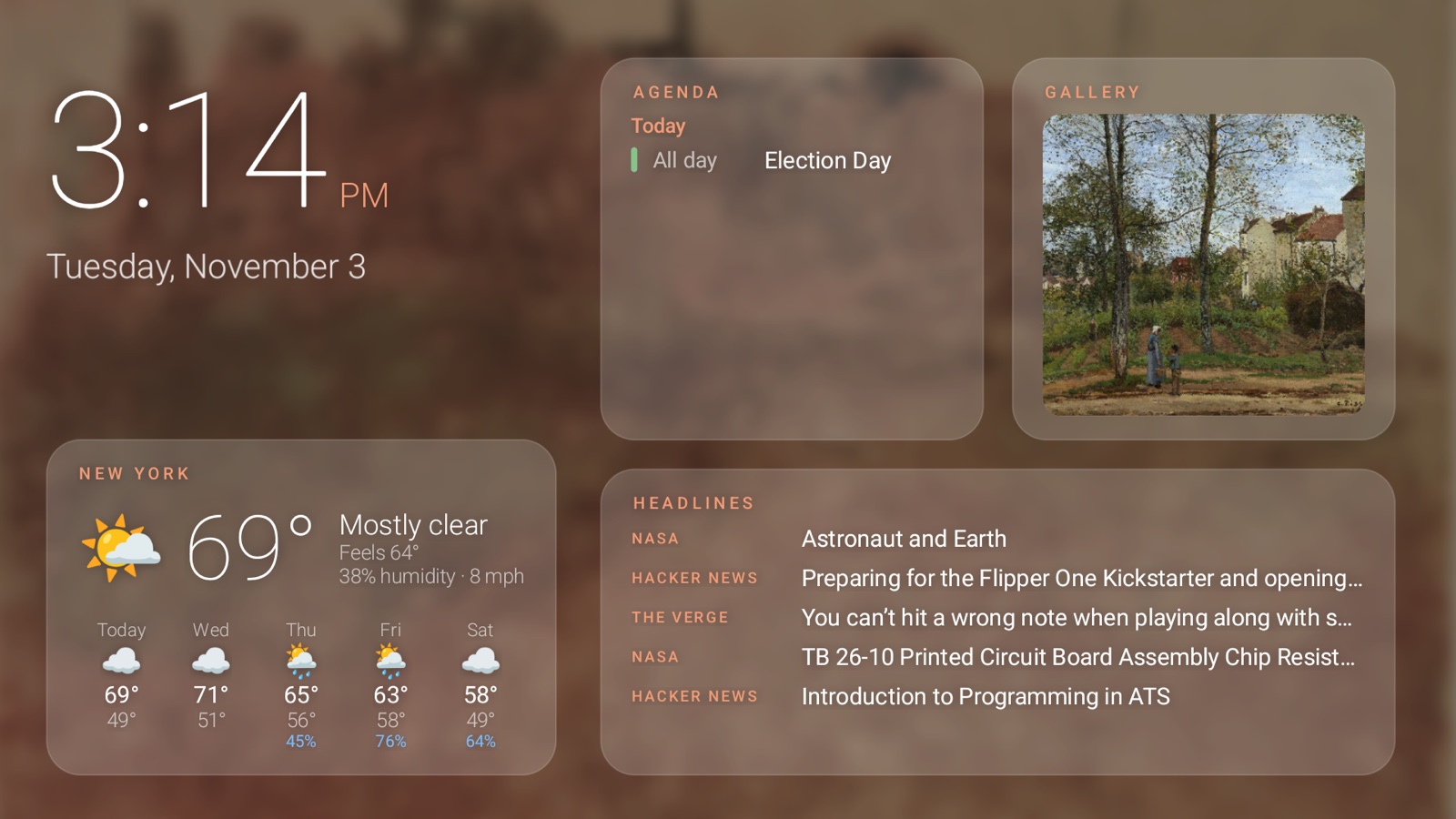
Every few paintings, or all the time if you want, ArtFrame swaps the art for a set of glass cards over a blur of the painting that was just up: the clock, the weather, sunrise and the moon, air quality, your calendar from any iCal link, a market watchlist, and headlines from RSS feeds you choose. None of the data sources need a key or an account. The color of the highlights comes from the painting too. I take its most vivid tenth of pixels, average them, and brighten the result, so the cards change mood with the art.
Then I wanted to read the headlines instead of just seeing them. So now, if you press OK on the remote, every card on that screen opens. Left and right pick a widget, OK goes in, and you can keep going as deep as the widget goes: headlines by source and then a story's summary, tomorrow's weather hour by hour, the day's calendar, a stock's range. Back comes out one level at a time, and after two minutes with no button presses the art comes back on its own.
Exploring the cards with the TV remote
1 / 4
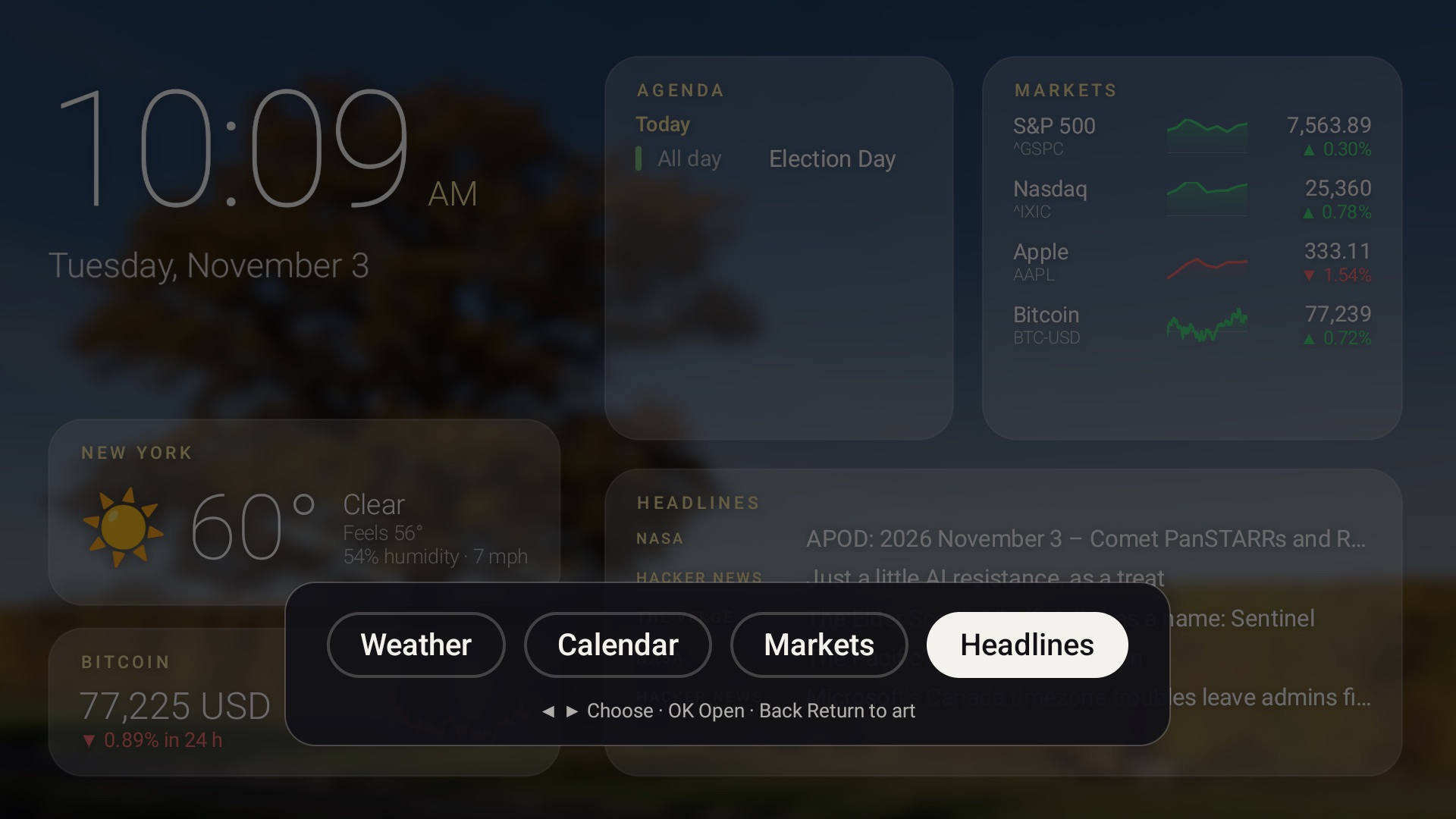
The screensaver was the uncertain part. Normally any button wakes the TV, and I wasn't sure a dream could hold on to the remote at all, so it shipped first in the ArtFrame app and only reached the screensaver a release later. On the BRAVIA it works if the dream asks to be interactive and keeps only the keys exploring uses. Any other button still wakes the TV straight away. I've only tried it on Sony TVs so far, and the release notes say so. If OK wakes your TV instead, the same thing works in the ArtFrame app from the home screen.
Nothing on that screen is a link. Opening a story doesn't fetch anything, because the summary came down with the headline in the regular refresh, and it stays readable when the network is out.
Widgets are JSON files
All of those cards are widgets, and a widget is a single JSON file: where its data comes from and how to lay it out, in a small set of rows, columns, text and lists. There's no code in it. The built-in clock and weather cards are written the same way as anyone else's, so you can copy one and change it.
That design was mostly about trust. A widget has to write out every site it contacts, and the TV refuses any other host, including after a redirect. The Mac app shows you each site and what of yours goes to it (your city, say, or an API key) before you turn a widget on, and asks again if an update wants to reach somewhere new. The widget gallery is a public repo at mrlynn/artframe-widgets, and its CI checks every submission with the TV's own parser, copied out of the app and run on a desktop JVM, so a widget that passes there loads on the TV.
This week I added two things I'd been wanting. You can now pick a size for any card instead of the one its file asks for: a tile down the left, a card in the main row, a panel with twice the room, or a banner across the whole screen. And there's an Art Gallery card that shows a few of the paintings already on the TV. Press OK on it and you get the list with thumbnails, OK again and the painting fills the screen with its label in the corner, and left and right walk through the rest.
The Art Gallery card, opened with the remote
1 / 4
The morning after Election Day I wrote an election results widget. It reads Open America's free feed of official state counts and shows who's leading the Senate, House or governor races. That feed keys its races by state,
{"GA": {...}}, and the widget language had no way to turn that into a list or sort it by margin, so the TV app picked up an entries filter and a sortBy for lists along the way. The feed never calls a race, so the card says "leading," and it carries the feed's attribution and the time of the count. The count in the screenshot below is from 3:47 in the morning, with Minnesota at 99%.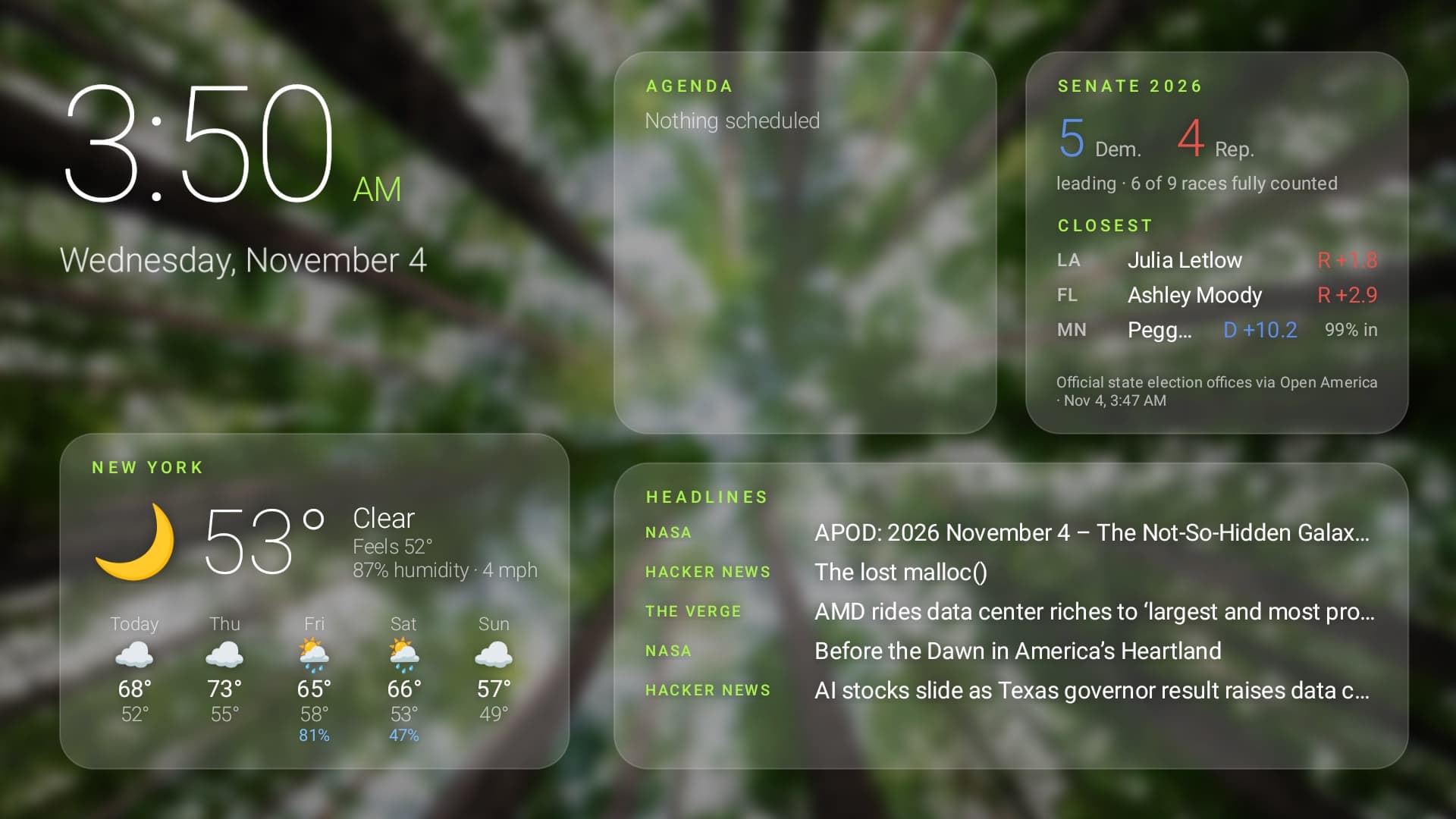
It's in review for the gallery now.
The Mac app
The TV half is useless if setting it up means a terminal, so most of the work is actually in ArtFrameRemote, a SwiftUI app for the Mac. It finds the TV on your network, walks you through turning on developer mode (you press one item in the TV's About screen seven times, which still feels like a cheat code), installs the TV app over
adb, and makes it the screensaver. It carries its own copy of adb, so there's nothing else to install.After that it's the place you pick art, send it to the TV, and arrange the information screen with a live picture of what the TV is showing right now. It also works as a remote: next painting, previous painting, start and stop the screensaver. On Sony TVs it can change picture and sound settings too, including "picture off," which darkens the panel while music keeps playing. It updates itself with Sparkle, and it's signed and notarized, so it opens like any other Mac app.
Your art lives on your Mac and gets copied to the TV over your home network. There's no account, and the calendar link stays on your own devices.
How it's built
The TV app is Kotlin with no libraries beyond the Android framework. The slideshow is two stacked image views that cross-fade, the widgets are drawn from their JSON by one renderer, and the remote-driven explore mode is a small state machine with no Android in it, which made it easy to test the awkward cases, like a feed refreshing while you're halfway through reading a story. The widget parser is kept free of Android code for the same reason, and that's what lets the gallery repo run it on its own.
It's been moving fast. Version 0.3 went out on November 2nd, and as I write this ArtFrameRemote is at 0.12. That pace has a cost: this morning Apple's notary service handed back an empty answer on the disk image three times in a row, and the release script gave up. It waits longer between tries now.
Trying it
You need a TV or streaming stick that runs Google TV or Android TV, which covers Sony, TCL, Hisense, Philips and Sharp Google TV sets, Chromecast with Google TV, the Google TV Streamer and the NVIDIA SHIELD. Roku, Fire TV, Samsung and LG TVs can't run it, but a cheap Google TV stick plugged into one of them can. The TV guides give the exact menu path for each brand, and setup takes about ten minutes, once.
Download ArtFrameRemote, or read more at artframe.mlynn.dev.